Dictation for Mac
You talk.
Monkeys type.
Hold a key and say what you mean. A crew of monkey typists puts every word wherever your cursor is, in any app.
Free for 7 days. macOS 14+, Apple Silicon.
SoonVoice Monkeys for Windows is on the way
It will recognize speech in the cloud, not on the computer, and it will be a subscription. Leave your email and we'll write once, when it launches.
SoonVoice Monkeys for Linux is on the way
It will recognize speech in the cloud, not on the computer, and it will be a subscription. Leave your email and we'll write once, when it launches.
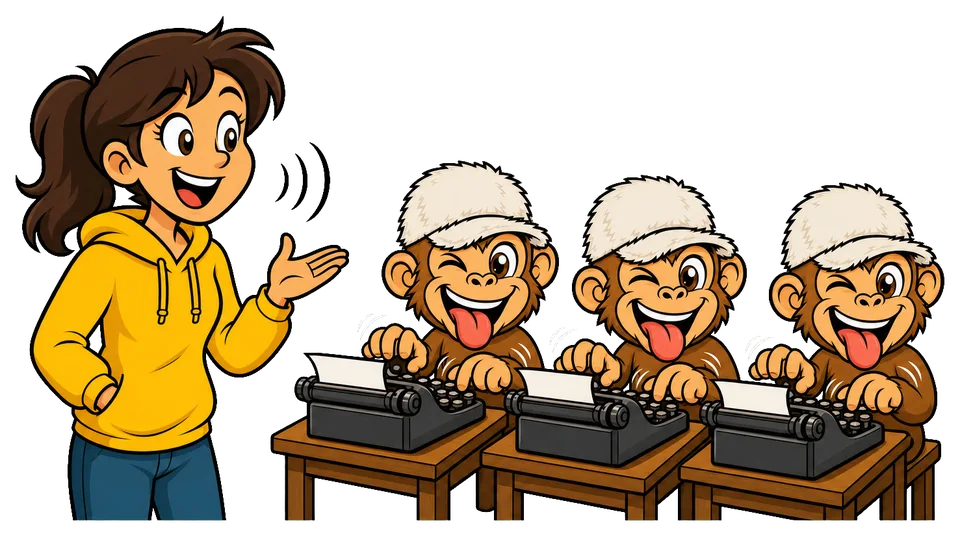
How the monkey business works
 ⌥option
Hold the right Option key
That's the signal. The crew puts their headphones on.
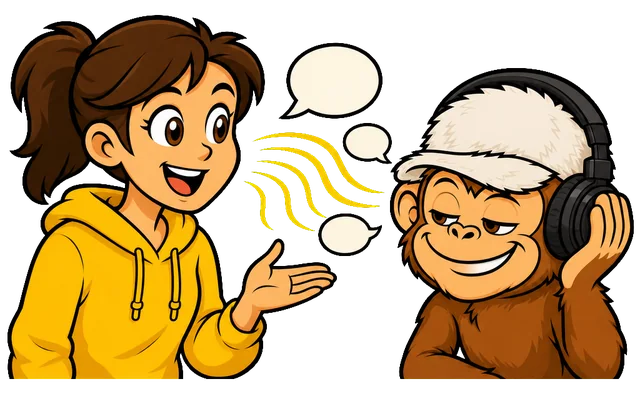
Talk like you always do
No robot voice, no commands. Switch languages if you like.

Let go. The monkeys type
The text lands right where your cursor is.
Features
A crew you can trust with your words
These are features of the Mac app. On Windows and Linux, speech will be recognized in the cloud.

The monkeys never leave your Mac
Speech is recognized by the computer itself. No servers, no recordings sent anywhere, works offline.
Watch them type while you talk
Words appear above the indicator while you are still speaking, then drop into the app when you let go.
Multilingual monkeys
Switch languages mid-sentence. Names like GitHub, Figma and Telegram come out spelled right.
They keep the tapes
Every dictation is kept with its recording. Copy it, play it back, or have it shredded after an hour, a day or a week.
The crew speaks 25 languages
They work out the language by ear, even if you switch mid-sentence. The app interface speaks 20 of them.

- Čeština
- Dansk
- Deutsch
- Eesti
- English
- Español
- Français
- Hrvatski
- Italiano
- Latviešu
- Lietuvių
- Magyar
- Malti
- Nederlands
- Polski
- Português
- Română
- Slovenčina
- Slovenščina
- Suomi
- Svenska
- Ελληνικά
- Български
- Русский
- Українська
Pricing
Hire the crew once. Keep them for good.
- Lifetime license
- For one Mac
- Every update of version 1
- 7 days free, no card needed
 $25one-time payment
Requirements
- Mac with Apple Silicon (M1 or newer)
- macOS 14 Sonoma or later
- About 600 MB for the speech model

Stuck? Ask a human
Write to support@voicemonkeys.com. A real person answers, not a monkey.
SoonVoice Monkeys for Windows is on the way
It will recognize speech in the cloud, not on the computer, and it will be a subscription. Leave your email and we'll write once, when it launches.
SoonVoice Monkeys for Linux is on the way
It will recognize speech in the cloud, not on the computer, and it will be a subscription. Leave your email and we'll write once, when it launches.
Questions for the monkeys
Do the monkeys send my voice to the internet?
No. They work inside your Mac, on its Neural Engine. The internet is used once to download the speech model (about 600 MB) and to activate your license.
Which Macs can the crew work on?
Macs with Apple Silicon (M1 or newer) running macOS 14 Sonoma or later.
Which languages do they take dictation in?
Any of these 25: Bulgarian, Croatian, Czech, Danish, Dutch, English, Estonian, Finnish, French, German, Greek, Hungarian, Italian, Latvian, Lithuanian, Maltese, Polish, Portuguese, Romanian, Russian, Slovak, Slovenian, Spanish, Swedish, and Ukrainian. They tell them apart by ear, and you can mix them in one sentence.
How do I move the crew to a new Mac?
Open the license window on the old Mac and click “Deactivate this Mac”, then enter the key on the new one. Or just write to us.
Can I get my money back?
Yes, within 14 days of purchase, no questions asked. Just write to support.
macOS says the app can't be opened. What now?
Voice Monkeys is signed and notarized by Apple, so it opens like any other app. If macOS still refuses, open System Settings → Privacy & Security, scroll down and click “Open Anyway” next to Voice Monkeys.